Questions on Tender and Invitations
Questions on Tender
If the information provided in the published notice and the related procurement documentation is insufficient, you may send a clarification question to the tender organizer. Submitting a question is possible during the tender statuses "Accepting Applications" and "Notice Published." On the tender page, click the "Ask a Question" button. In the pop-up window that appears, describe the issue, then submit your question to the organizer.

The tender organizer may respond directly to the user or publish the answer in the "Questions on Tender" section on the tender page. A notification about the response will be sent to your personal messages.
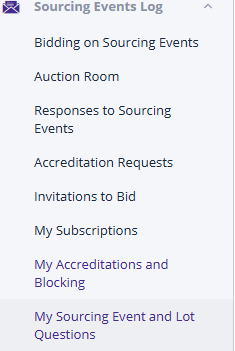
All questions from your organization and the corresponding answers can be viewed in the "My Questions on Procedures and Lots" log. To do this, follow the link with the same name in the left-hand sidebar:
Users can apply search filters based on part of the question or its current status. After setting the search filters, press the "Search" button:
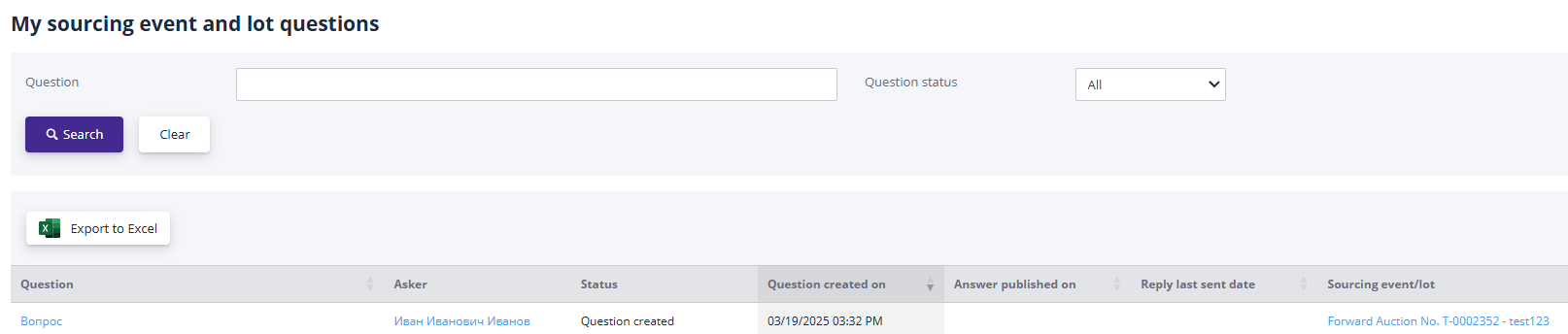
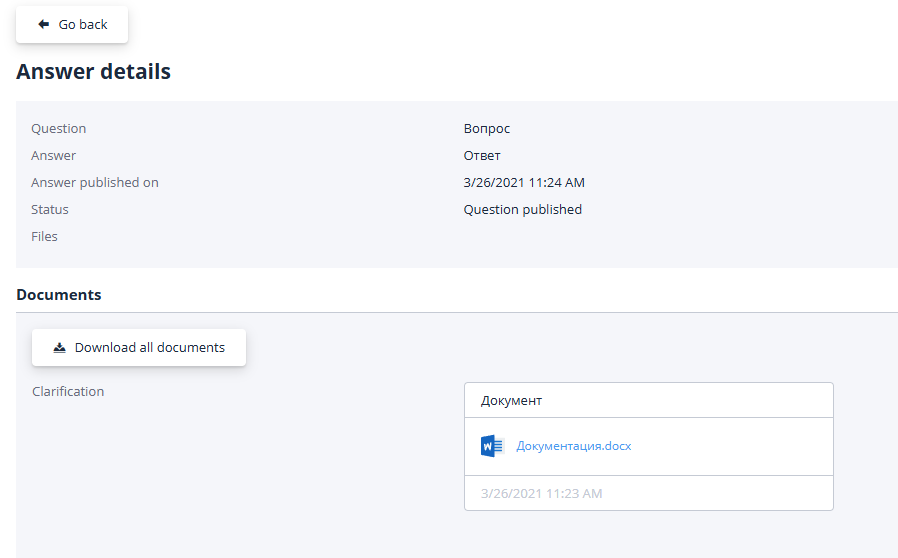
To view the answer, follow the link in the "Question" column.
Occasionally, the organizer may leave a question unanswered. In such cases, it is necessary to contact them by other means to obtain clarifications on the posed question:
Invitations to Participate in Certification and Tender Procedures
Organizers may invite users to participate in their certifications and tender procedures. The "Invitations" section lists such notifications sent by the organizer.
To access the invitations page, click on the corresponding link in the "Personal Account" menu or select the "Invitations" tile:

You can search invitations by part of the lot’s name or by the sender (tender organizer):
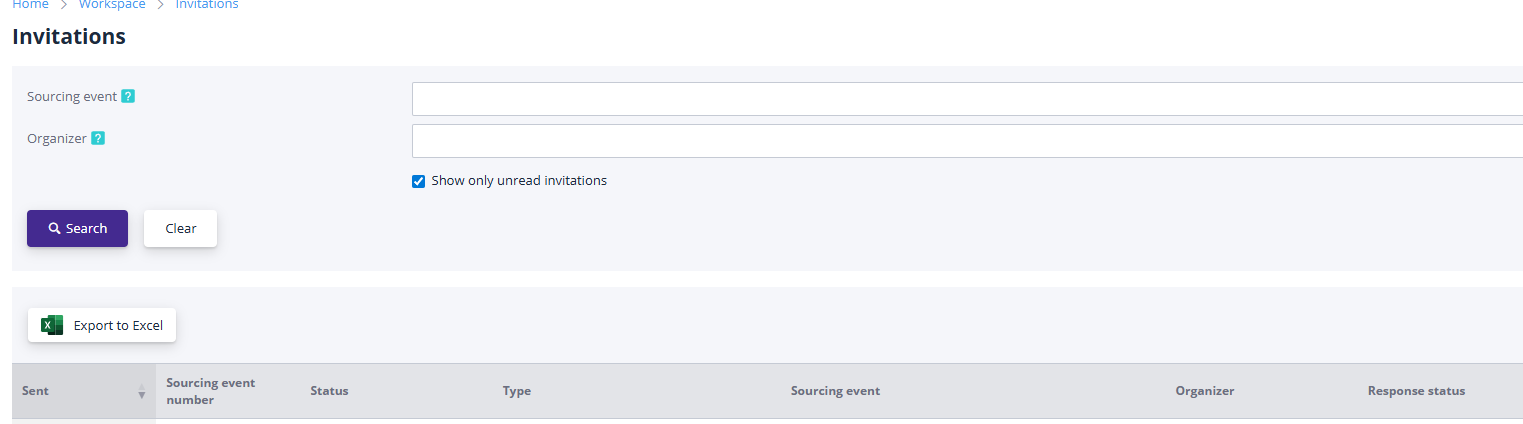
To view an invitation, follow the link in the "Sent" column.
The invitation details page displays information about the procedure being conducted:

To proceed with creating an application for participation, use the corresponding button. The detailed process for filling out and submitting an application is described in the "Creating and Submitting an Application for Participation" section.
If the scope of work covered by the tender is not of interest, the invitation may be disregarded.
"Applications for Participation in Procedures" Section
This section displays a list of all previously created applications for participation submitted by your organization. To access the applications page, select the "Applications for Participation in Procedures" item under the "Participation in Procedures" section in the left sidebar, or click on the "My Applications for Participation in Procedures" tile:
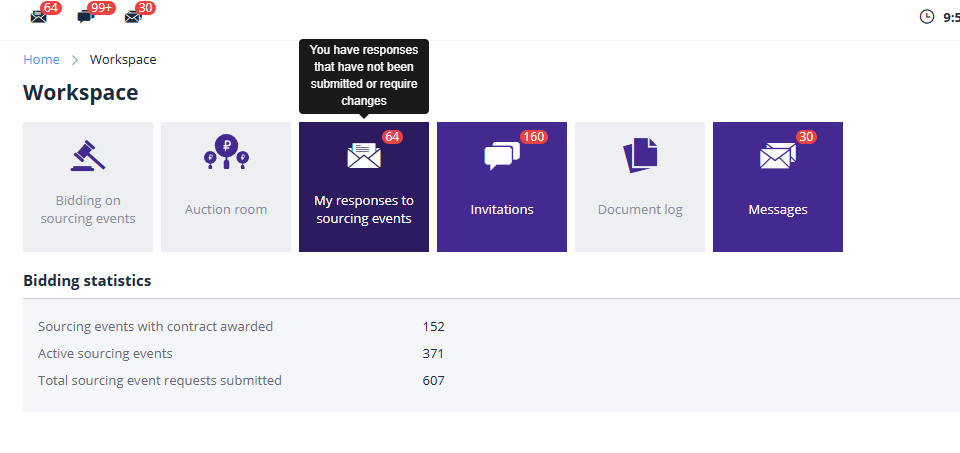
Applications can be searched by partial or full name of the lot, tender format, lot status, application status, or the time period when the application was submitted:
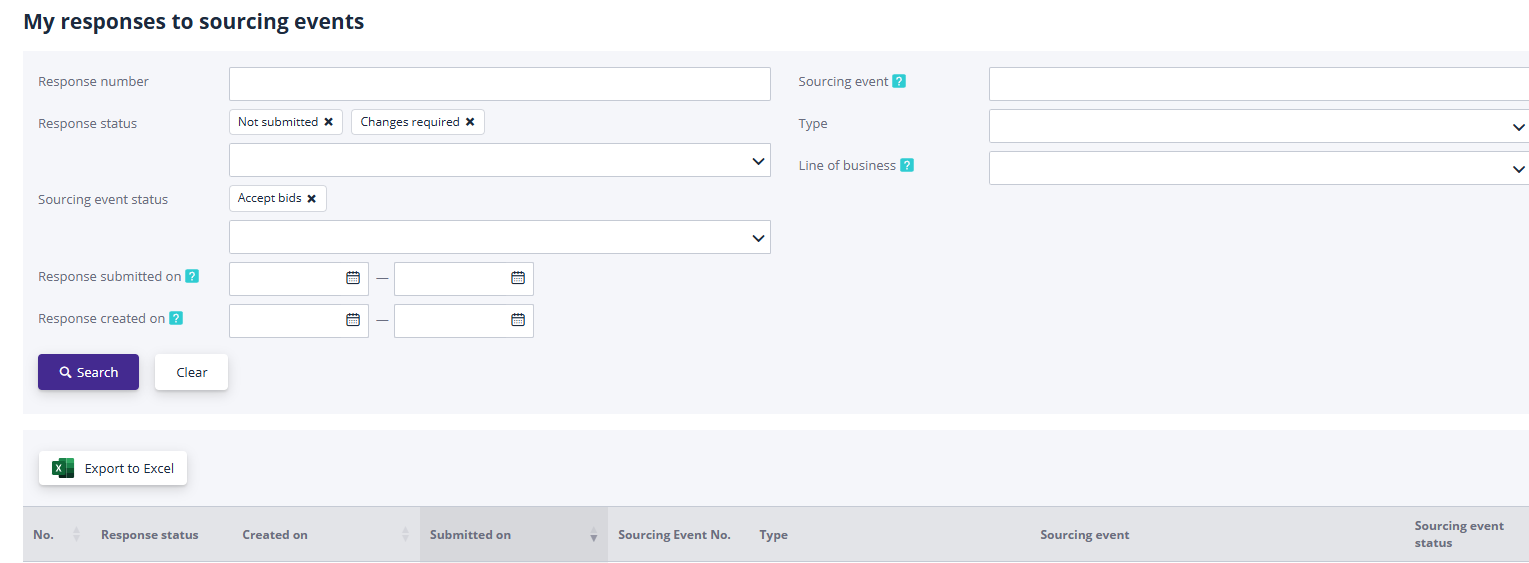
To view an application, follow the link in the "Creation Date" or "Application Status" column; to view tender information, use the link in the "Procedure Number" or "Procedure" column.